
UnicodeIt
UnicodeIt allows to convert LaTeX expressions to the corresponding Unicode characters. This provides an easy way to typeset simple mathematical expressions, Greek letters or other symbols, and insert them inline into your text in any application, for instance Keynote or PowerPoint.
Note that not all LaTeX expressions are supported. Consider using LaTeXiT for more complicated formulas.
Installation on macOS
- Download the macOS app from their web page
-
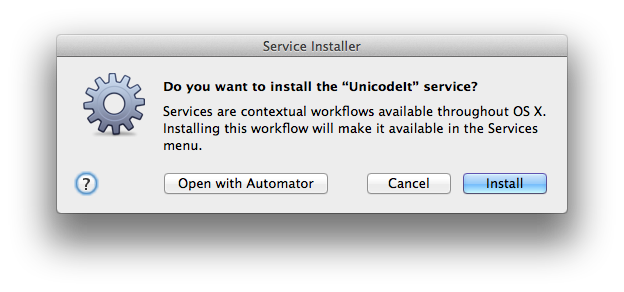
Double-click the
UnicodeItitem and choose to install it as a service
-
Confirm by clicking
Donein the next dialog. -
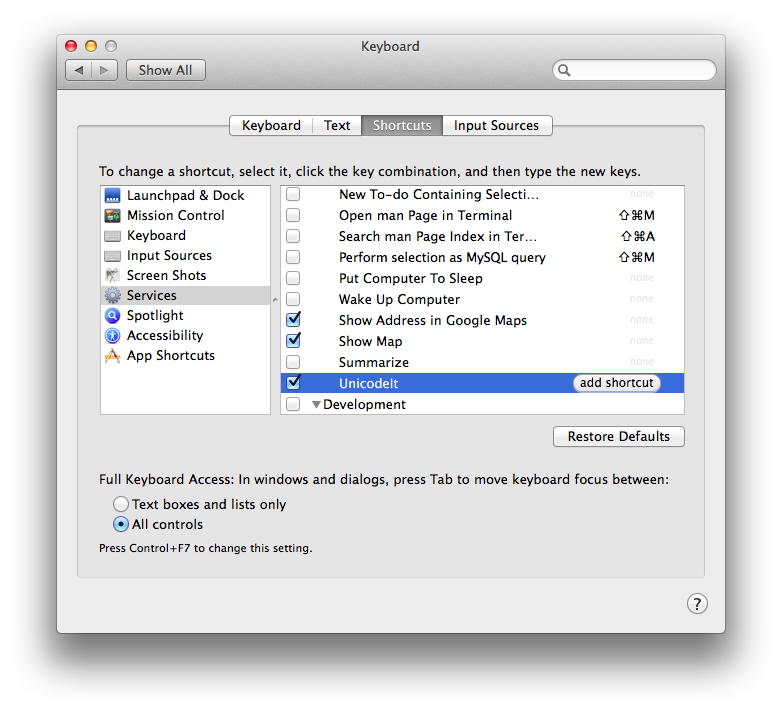
You may optionally add a keyboard shortcut to the service in
System Preferences->Keyboard->Shortcuts, for instance Command+Option+Shift+U as suggested by the developer.
Usage on macOS
- In most applications, type your LaTeX formula, e.g.
e^+ e^- \to 2\gamma - Select the text
- In the application menu, go to
Servicesand clickUnicodeIt, or press your custom keyboard shortcut - The selected LaTeX expression should have been replaced by the Unicode symbols.